Running a small business usually means every marketing dollar has to earn its place.
You don’t have the luxury of spending thousands of dollars just to “build awareness” and hope customers eventually show up. You need calls, enquiries, bookings, sales, or store visits.
That’s one reason Google Ads can work well for small businesses. Instead of only putting your business in front of people based on who they are, Google Search can reach people while they’re actively searching for a product or service.
Someone searches “emergency plumber near me,” “dentist in Charlotte,” “roof repair company,” or “buy running shoes online.” That person is already expressing some level of intent.
But here’s the part that gets overlooked: running Google Ads and running Google Ads profitably are two very different things.
I’ve worked with Google Ads accounts for more than five years and audited over 100 accounts. The mistakes I see aren’t usually because the business owner chose Google Ads. They’re because of what happened after the account was created: the wrong keywords, poor conversion tracking, weak landing pages, wasted search terms, inappropriate bidding, or simply increasing budgets before the campaigns were ready.
This guide explains how I’d think about Google Ads if I were a small business owner starting today.
Google Ads is Google’s advertising platform. For a small business, the most familiar example is probably a Search ad.
Imagine you own a plumbing company. Someone searches Google for “water heater repair near me.” Your ad can potentially appear around the search results and send that person to your website.
But Search is only part of Google Ads. Depending on the campaign type and your business, Google advertising can also reach customers across properties such as Search, YouTube, Gmail, Maps, Display and Shopping inventory. Performance Max can access Google’s advertising inventory across multiple channels from a single goal-based campaign.
For a small business, however, I wouldn’t start by asking, “How many Google platforms can I advertise on?” I’d start with: “Where are my potential customers most likely to be when they’re ready to buy?” That question usually leads to a much better campaign.
The biggest advantage is intent.
Suppose you own an HVAC company. There is a major difference between showing an advertisement to someone who happens to own a house and showing an advertisement after they search “AC repair near me.” The second person is telling you what they need.
That’s what makes Search advertising particularly interesting for local and service businesses.
But intent alone doesn’t guarantee profitability. You still need to get five things right:
Get those wrong and Google Ads can become expensive surprisingly quickly.
Google Ads uses an auction. When an eligible search happens, Google determines which ads can participate and how they should be shown.
This is why Google Ads isn’t simply “whoever pays the highest amount gets the best result.” Your bid matters, but so do factors related to the quality and relevance of your advertising.
For a small business, the practical lesson is simple: don’t try to compensate for a weak campaign by throwing more money at it.
A better campaign structure, stronger relevance, better landing page and accurate conversion tracking can be more valuable than simply increasing bids.
For many service businesses, Search is where I’d start. Examples include plumbers, dentists, lawyers, HVAC companies, contractors, healthcare practices and local professional services.
Why? Because people are already searching for the service. You can build campaigns around searches that indicate commercial intent and send those users to a relevant landing page.
Shopping is primarily relevant to e-commerce businesses with products to sell. Instead of relying only on text ads, Shopping can show product information such as an image, title and price.
But successful Shopping advertising isn’t only about bidding. Your product feed matters enormously. Poor titles, missing product information, disapprovals, incorrect pricing or weak categorization can limit performance before bidding even becomes the main problem.
Performance Max is Google’s goal-based campaign type that can access inventory across channels including Search, YouTube, Display, Discover, Gmail and Maps.
That reach is powerful. It also means I don’t like treating Performance Max as a button you press because Google recommends it.
You still need good conversion tracking, useful assets, appropriate campaign structure and a clear understanding of what you’re asking the system to optimize toward.
If you are deciding where to start, our comparison of Performance Max vs Search campaigns explains the tradeoffs in control, reach, tracking and budget.
These can be useful when awareness, remarketing or visual storytelling matters.
But if you’re a small local business with a limited budget and people are already searching directly for your service, I would usually investigate that existing Search demand before spreading the budget across every available channel.
This is where small-business accounts can lose a lot of money.
Suppose you’re a dentist offering dental implants. A keyword related to “dentist” might look relevant. But there is a huge difference between “dental implant dentist near me” and “how to become a dentist.” Both contain dentistry-related language. Only one looks like a potential patient.
That’s why I care about search intent, not simply keyword volume.
Your keyword tells Google what kinds of searches you’re interested in. Your search terms tell you what people actually searched.
That second report deserves regular attention. If irrelevant searches are consuming money, they can be excluded where appropriate. If useful new search patterns appear, they can help inform your campaign structure and keyword strategy.
A common mistake is treating Google Ads and the website as two separate things. They’re not.
Imagine searching “emergency roof repair Charlotte.” You click an ad promising emergency roof repair. Then you land on a generic homepage talking about the company’s history, every service it offers and its latest blog posts.
That’s friction. The visitor shouldn’t have to figure out what to do next.
A strong landing page should make it obvious: you’re in the right place, we provide the service you searched for, here’s why you can trust us, and here’s what to do next.
For lead generation, that next step could be Call now, Request a quote, Schedule an appointment, or Get a free consultation. The easier that journey is, the better chance your paid traffic has of becoming actual business.
If I could choose one thing small businesses should get right before scaling Google Ads, it would be conversion tracking.
Google needs to know which actions matter to your business. That might be a completed contact form, a qualified phone call, an appointment booking, a purchase, or a quote request.
But there’s another issue: not every conversion has equal business value.
A three-second accidental phone call isn’t the same as a qualified customer. A spam form isn’t the same as a booked appointment.
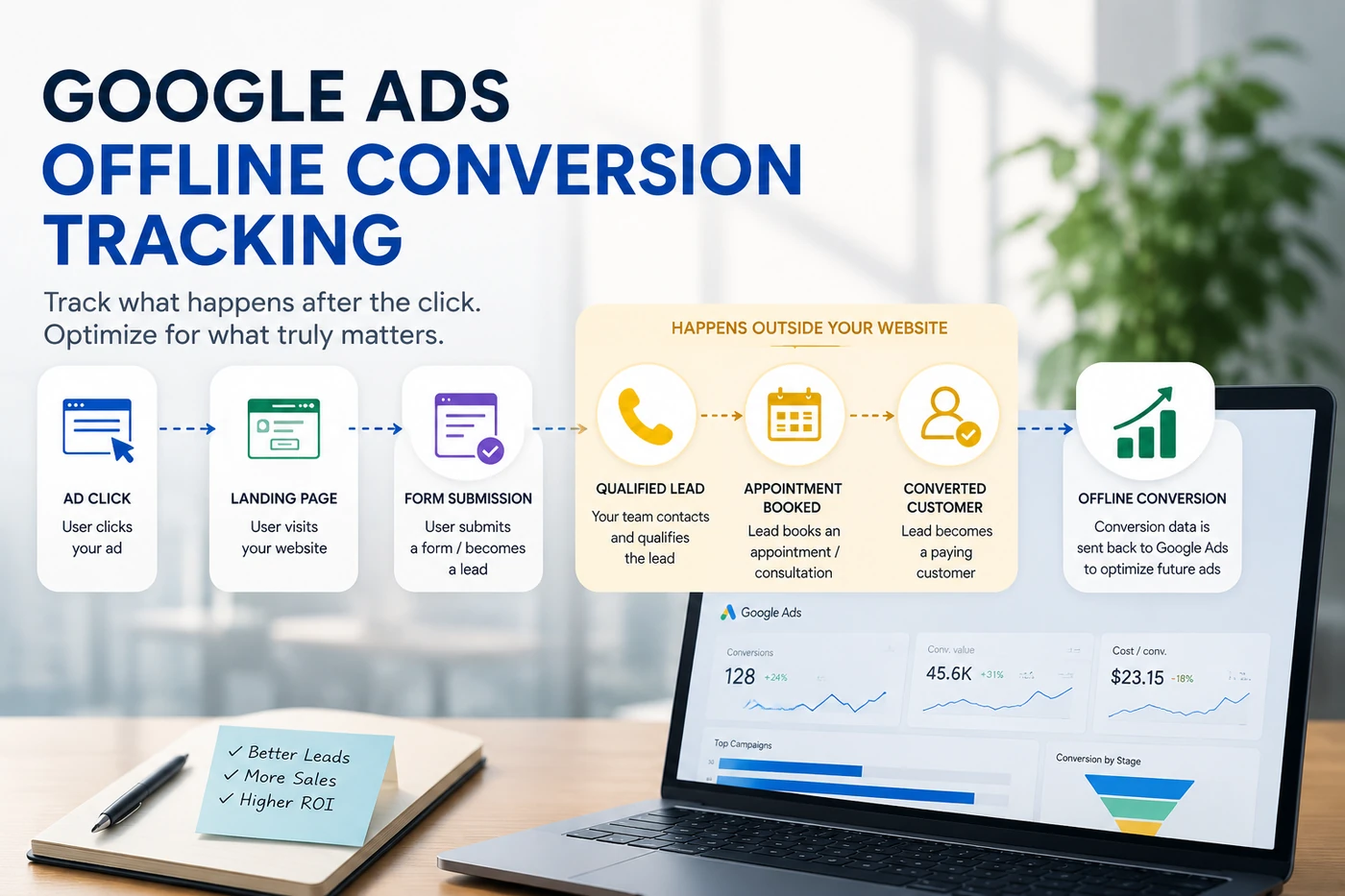
For businesses with longer sales cycles, it can be useful to connect later outcomes such as qualified leads, appointments or closed customers back to the campaigns that generated them through Google Ads offline conversion tracking.
There is no universal number. A plumber in North Carolina, a personal injury law firm in New York and an online clothing store aren’t competing in the same auction.
Instead of asking “What’s the minimum Google Ads budget?” I’d ask: “How much data can this budget realistically buy in this market?”
Suppose the clicks you actually want cost around $10. A $10 daily budget doesn’t give you much room to learn.
Our dedicated guide walks through how to calculate a realistic Google Ads budget from your customer economics.
That doesn’t automatically mean you need a massive budget. It means your budget needs to make sense relative to CPCs, conversion rates, customer value and the amount of demand available.
For small businesses, I generally prefer starting with a budget you can sustain while gathering useful data rather than launching aggressively and cutting everything after one bad week.
Bidding is another area where I see businesses make decisions too quickly.
Google offers automated strategies including Maximize Clicks as well as Smart Bidding strategies such as Maximize Conversions, Target CPA, Maximize Conversion Value and Target ROAS.
The important part isn’t choosing the strategy with the most sophisticated name. It’s choosing one that matches your objective and the quality of your data.
If Google is optimizing toward bad conversion data, more automation doesn’t solve the underlying problem. It can automate it.
That’s why I put so much emphasis on tracking quality before aggressive automation.
This sounds obvious, but dashboards make it easy to forget.
If you only look at traffic or even raw lead volume, you might make the wrong decision.
Ultimately, a business needs to understand which advertising is producing valuable outcomes. For e-commerce, that often means revenue and ROAS. For lead generation, that might mean qualified leads, appointments, closed customers and customer acquisition cost.
This is why I don’t consider a campaign successful simply because its CTR looks good.
Seeing Google Ads getting clicks but no conversions? That guide works through the diagnosis in order.
Match the landing page to what the person searched.
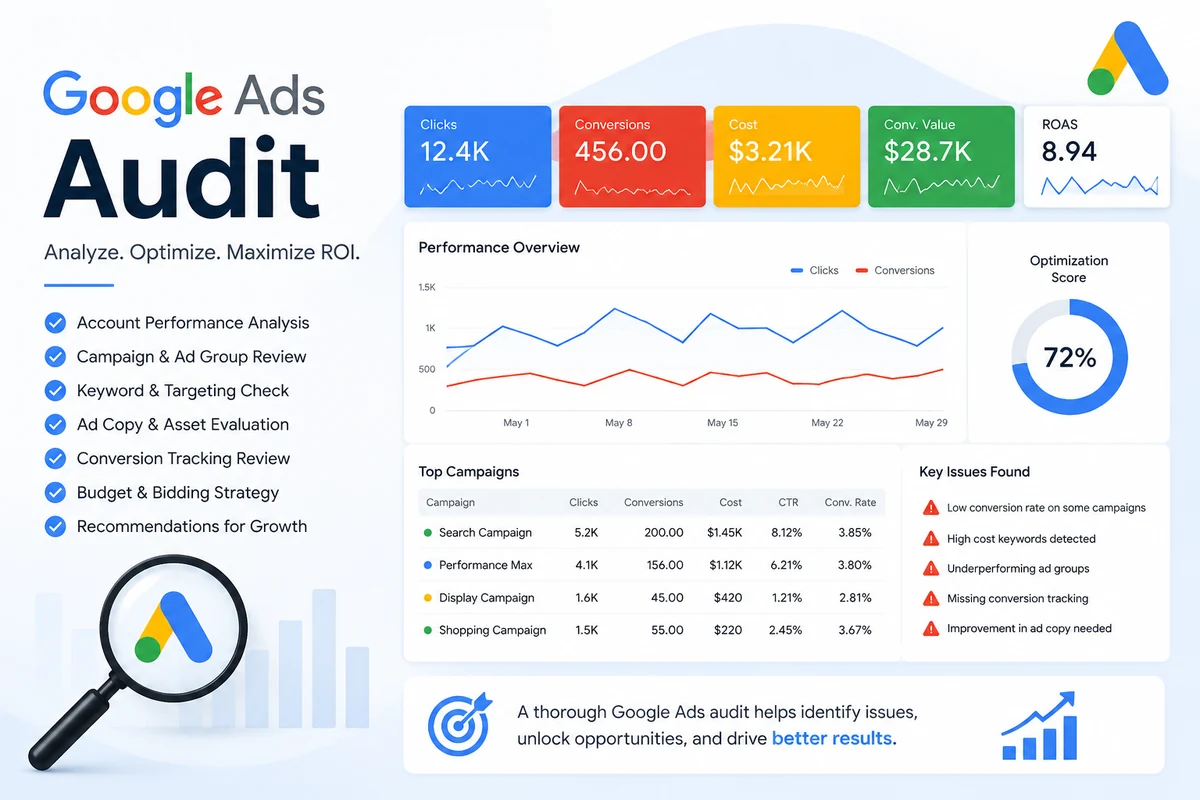
Keywords don’t tell you the entire story. Review the searches actually consuming budget. I’ve written up the issues that come up most often in a Google Ads audit checklist.
Don’t teach Google that meaningless actions are your most important business outcomes.
Optimization matters. Random changes every day don’t.
If $100 is being spent badly, spending $200 usually doesn’t solve the problem.
Someone searching specifically for your company is very different from someone discovering you through a generic service search.
Use available reporting and controls rather than treating the campaign as a black box.
Google Ads isn’t something I’d set up and forget for six months. But that doesn’t mean changing bids every morning either.
The account needs consistent review. I regularly look at search terms, conversion quality, budget allocation, ads, landing pages, locations and devices, bidding, and tracking.
The goal is not to make changes for the sake of showing activity. The goal is to find something that deserves changing.
This is one of the hardest questions to answer because businesses usually mean two different things.
“How quickly can I get traffic?” Potentially very quickly after an eligible campaign is approved and begins serving.
But “How quickly can I build a consistently profitable campaign?” is different.
You need enough meaningful data to understand which searches, ads, locations, devices, landing pages and audiences are actually producing business.
Some campaigns show promising results early. Others require substantial cleanup and testing. That’s why I’d be cautious of anyone guaranteeing that every business will hit a specific ROAS or CPL within a fixed number of days.
Not simply because Google says the campaign is limited by budget.
First ask: Is the campaign profitable or producing acceptable leads?
If yes, additional budget may allow you to capture more demand. But if the campaign is generating poor-quality leads or wasting money on irrelevant searches, I wouldn’t reward it with more budget.
I’d fix the problem first.
If you’re comfortable learning the platform, checking search terms, setting up tracking, evaluating landing pages and regularly optimizing campaigns, managing Google Ads yourself is possible.
The question is whether it’s the best use of your time.
As the account becomes more complex, Google Ads management can involve Search, Shopping, Performance Max, Merchant Center feeds, bidding, negative keywords, conversion tracking, landing pages and ongoing testing.
At that point, the decision isn’t really “Can I technically run Google Ads?” It’s: “Can I run it well enough that managing it myself is more profitable than spending my time elsewhere in the business?”
If the answer is no, professional Google Ads management services may make sense.
If you’re already advertising but aren’t sure where the money is going, I wouldn’t immediately increase the budget or rebuild the entire account.
Start by finding the problem.
Review: Search terms → Keywords → Campaign structure → Bidding → Conversion tracking → Landing pages → Lead/sale quality.
Sometimes the issue is obvious. Sometimes several small problems are working together. This is exactly why an account audit can be useful before making major changes.
Already spending on Google Ads but can’t tell where the money is going? Start with a free audit, written findings back within 24 hours, no obligation.
Start with a free Google Ads audit →Small businesses often ask me: “Is Google Ads expensive?” I think that’s the wrong question.
Imagine you spend $100 to acquire a customer worth $2,000 to your business. Now imagine you spend $20 to generate a “lead” that never had any chance of buying. Which advertising was expensive?
The cheapest click isn’t necessarily the best click. The cheapest lead isn’t necessarily the best lead.
What matters is whether the advertising produces enough business value relative to what you’re spending.
That’s ultimately how small businesses should judge Google Ads. Not by impressions. Not by clicks. Not by how impressive the dashboard looks. By whether advertising is turning into customers and profitable growth.
Gurdeep Singh is the founder of Adzlance, a paid media agency specializing in Google Ads, Meta Ads, conversion tracking and performance-focused advertising.
Running a medical, dental, or therapy practice? See how Google Ads for healthcare practices connects patient intent with booked appointments.
Practical writing on paid media, based on real account work.